Detailed instructions on how to register for VIB Open APIs banking integration solutions. A secure and reliable integration platform, ready to support your business in driving revenue growth.
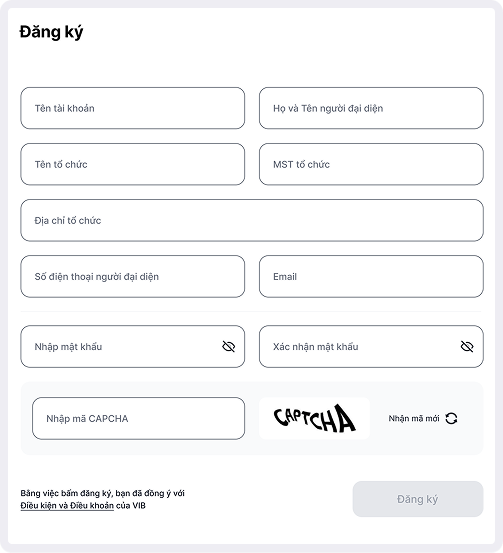
Register an account
Access the VIB Open APIs portal and select Register an Account. Enter the required information, preferably using your organization’s email address to ensure the verification process is completed as quickly as possible.
The VIB Open APIs account activation email will be sent immediately after successful registration. Please activate your account within 1 hour to avoid the activation link expiring.
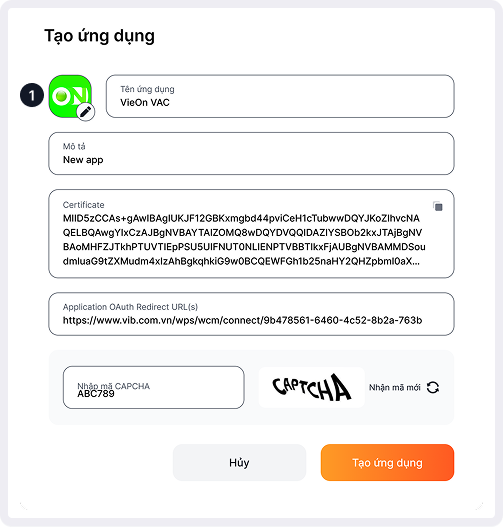
Create an application
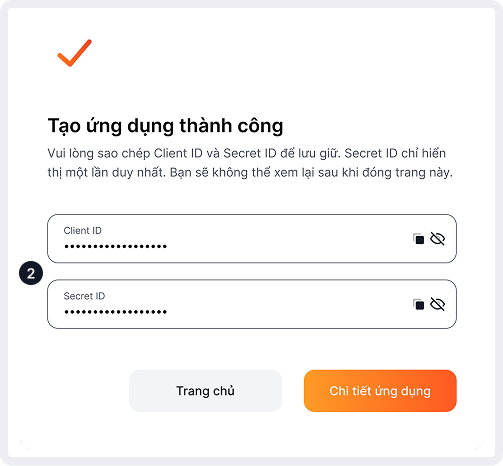
You need to create an application to obtain the security credentials (Client ID and Secret ID). These are the "keys" used to connect your platform to VIB’s banking system.
1Application icon image
2Application security information(*) Customers need to save and remember these configuration details for use
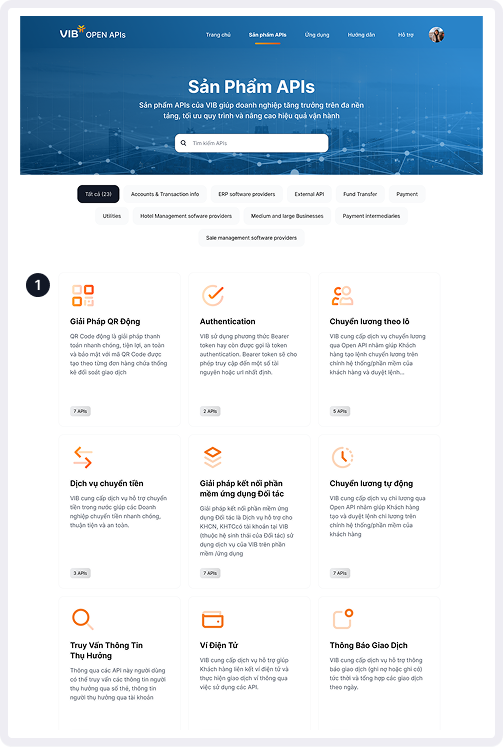
Subscribe to an API Product
After you complete the subscription to the desired API Product, VIB will review and verify your information. Valid requests will be granted access to test and operate the API in the testing environment.
1Select an API Product
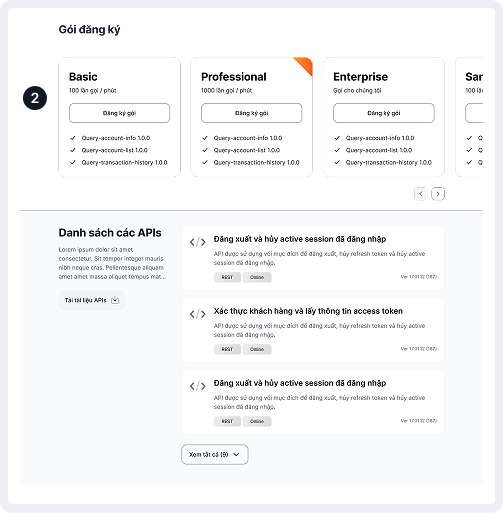
2Select a Subscription Plan
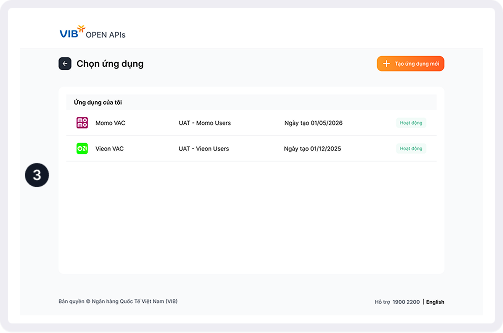
3Select an Application
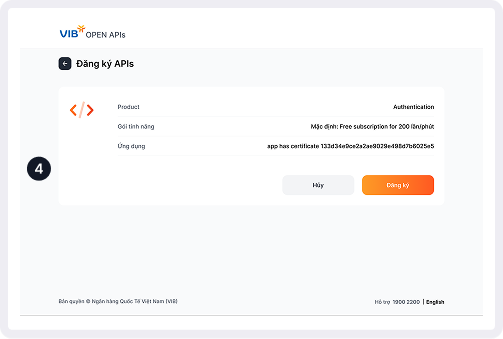
4Confirm Subscription
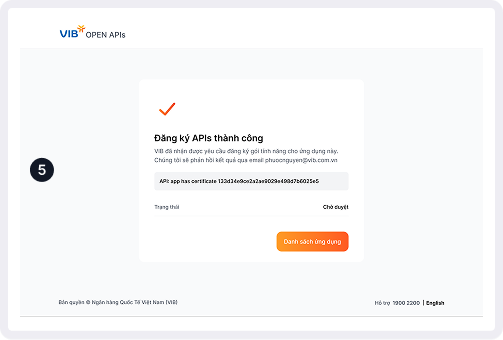
5Pending Approval(*) VIB will review and approve your request as soon as possible
Product Experience
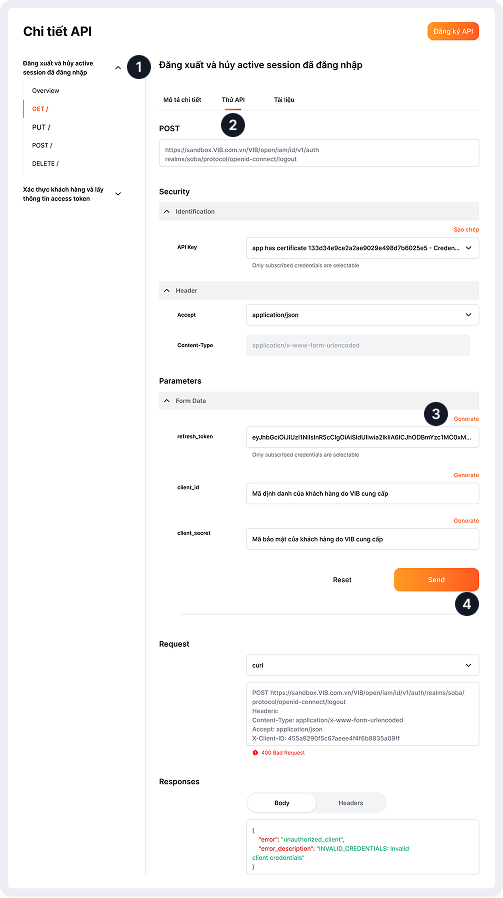
Customers can test the service on the VIB Open APIs platform by following these steps
1Select the APIs to test
2Select the "Try API" tab on the API information page
3Select "Generate" to generate a sample request
4Fill in all the required information and select "Send" to test the service